A quick tour of Home
Home is the first screen after you log in. It gathers what matters across all your projects, so you don’t have to open each one.
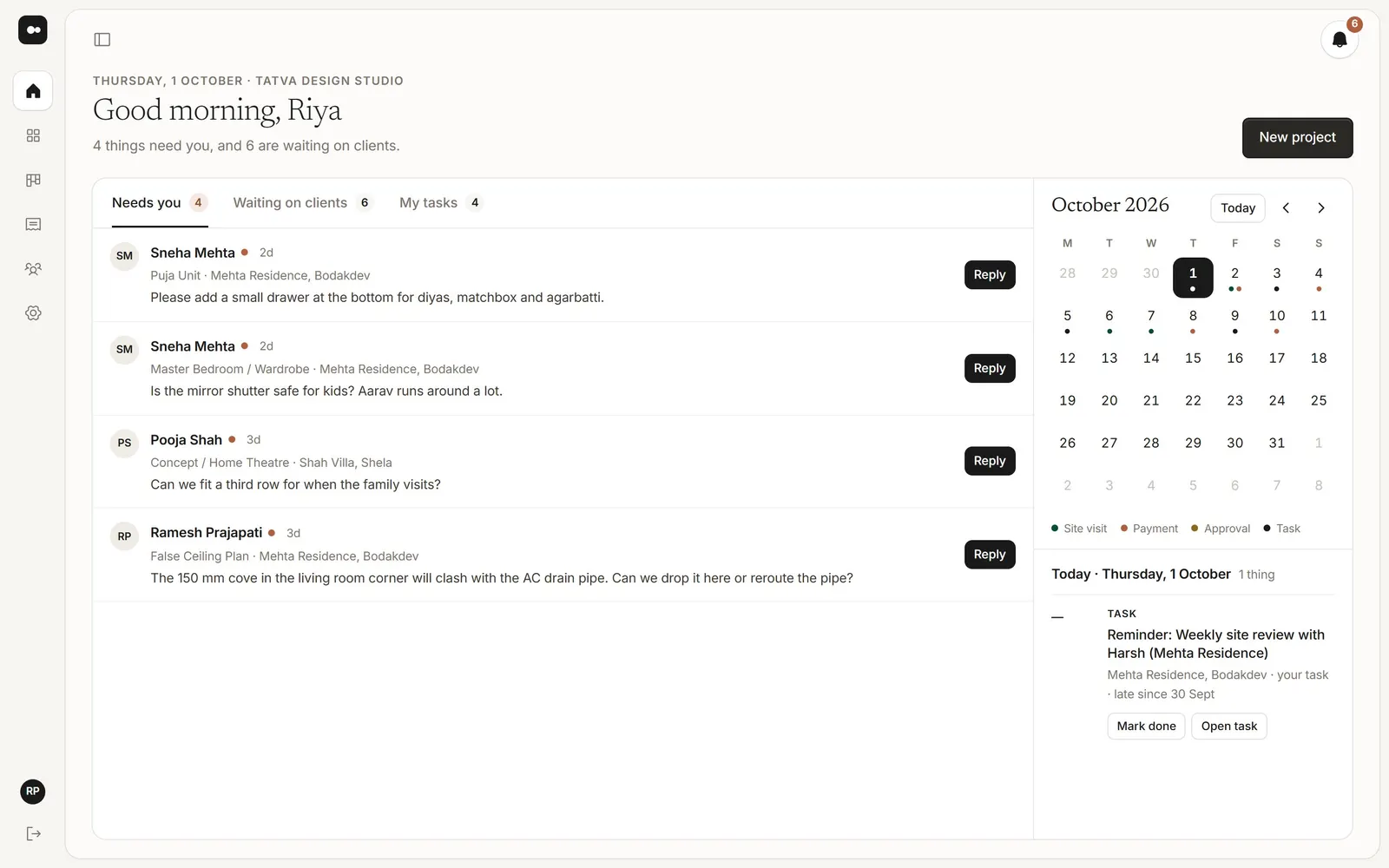
1Needs you
Client notes still waiting for a reply. Open one to see it on the image, then reply right there, or choose Make a task to hand it to someone. Open in project takes you to the full project.
2Waiting on clients
Approvals and signatures you’ve asked for that your clients haven’t given yet, so you know whom to follow up with.
3My tasks and the calendar
My tasks lists what’s assigned to you. Beside it, a calendar marks site visits, payments, approvals and tasks on their days; pick a day to see what’s on it, and mark a task done or open it from there.
Tip: New notes also show in the bell at the top and, if you want, by email. See Choose which emails you get.
Was this article helpful?