Features

Everything a design project needs.

Run the work with your team, and share it with your client. Tasks, reminders, invoices and payments for your studio, and one private link for designs, feedback, approvals and signatures.

Tasks

One board for the whole studio

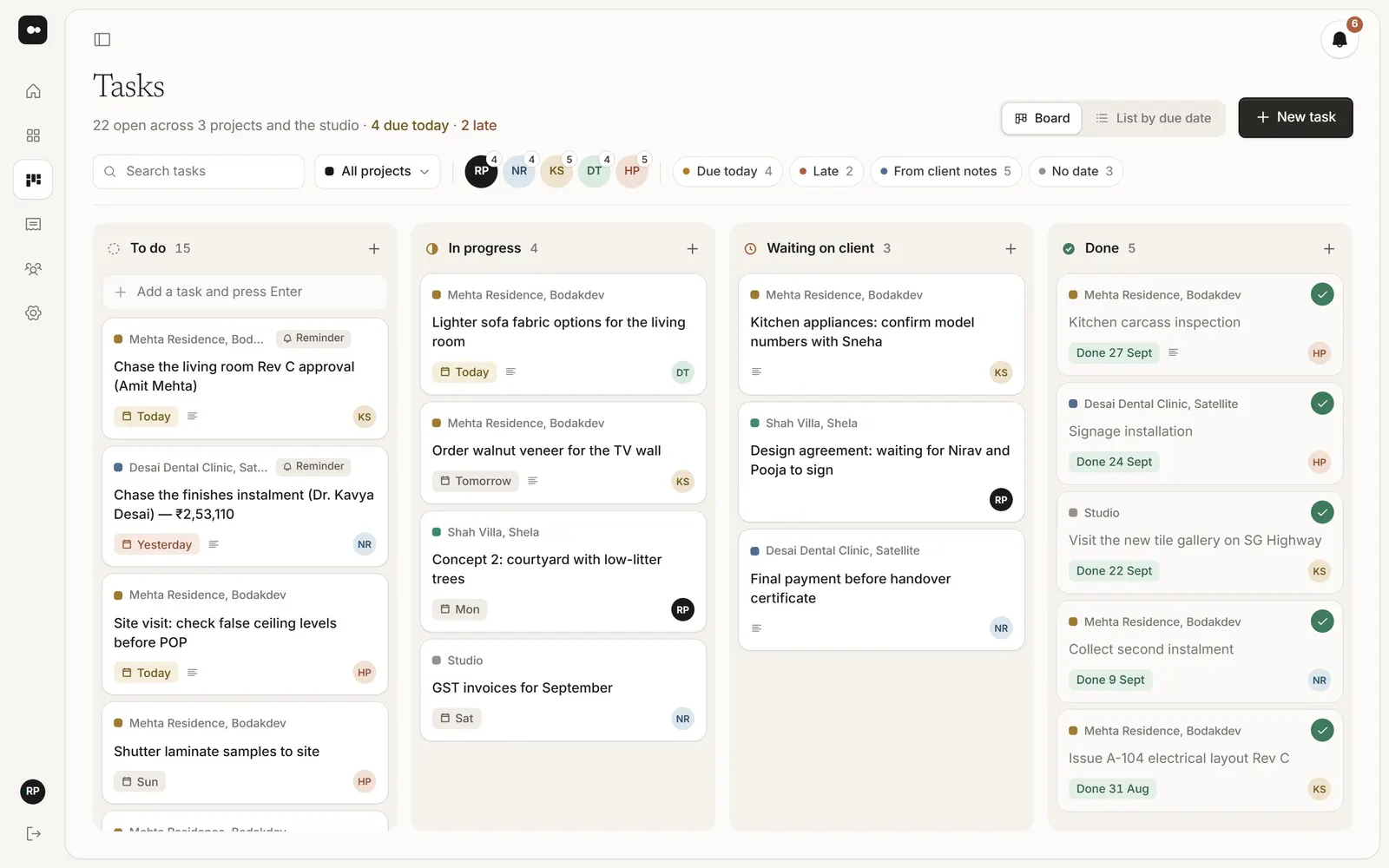
Every task for every project, and for the studio itself, with an owner and a due date. Work on the board, or in a list sorted by due date.

  • To do, In progress, Waiting on client and Done
  • Filter by project, person or what’s due today
  • Owner, Designer and Accounts roles
The studio task board in Plott
Team

Everything about a task, in one place

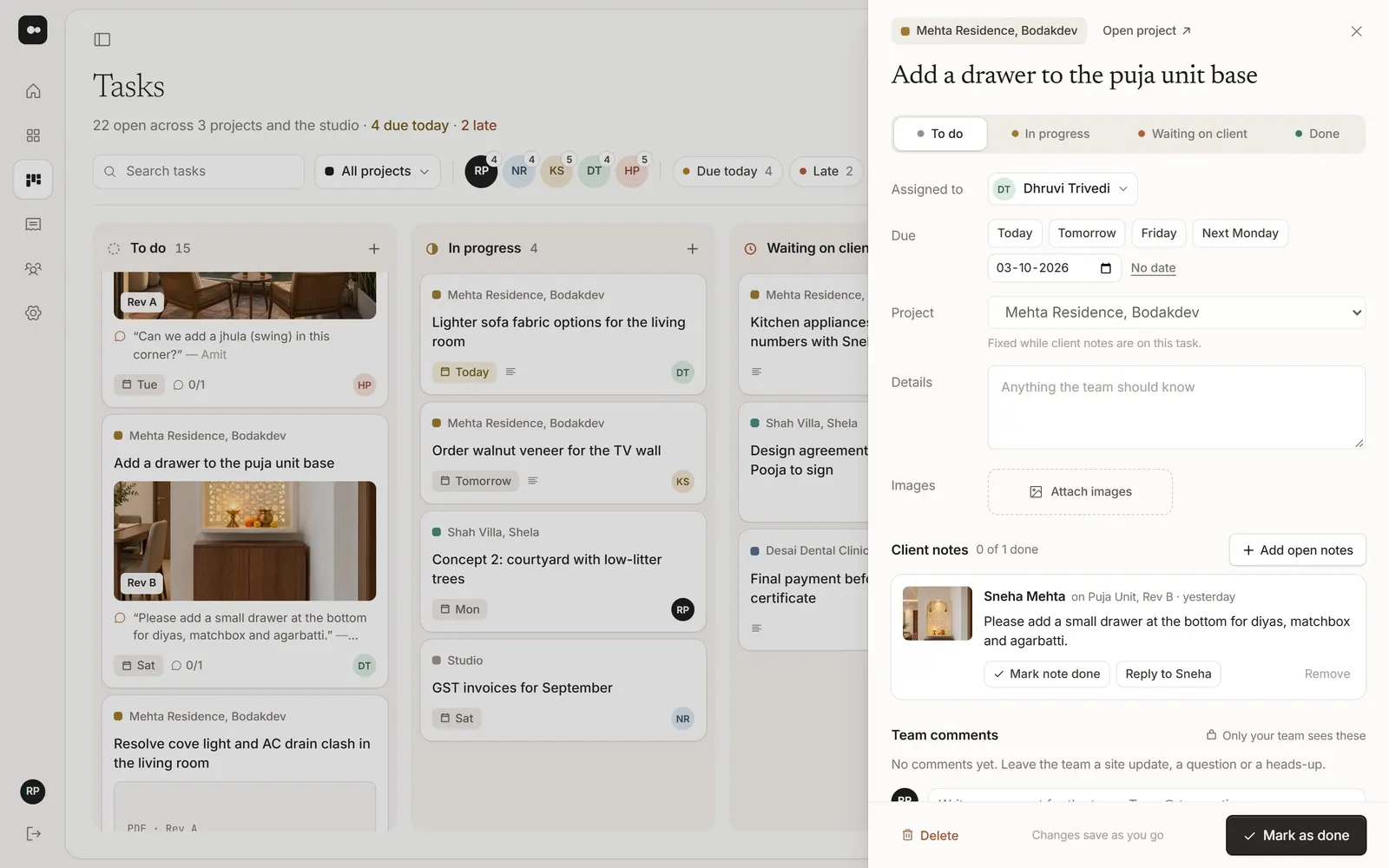
Open a task to see the client notes it came from, attach site photos and talk it through with your team. Clients never see any of it.

  • Client notes attached, with the picture
  • Comments, replies and @mentions
  • Close the notes with a reply when it’s done
A task with a client note and team comments
Reminders

Reminders that turn into tasks

Set a reminder once: a payment to chase, a site visit, an approval to follow up. On the day, it lands on the board as a task for the right person.

  • Once, every week or every month
  • Payment reminders linked to the invoice
  • Given to a teammate, or to yourself
Home

What needs you today

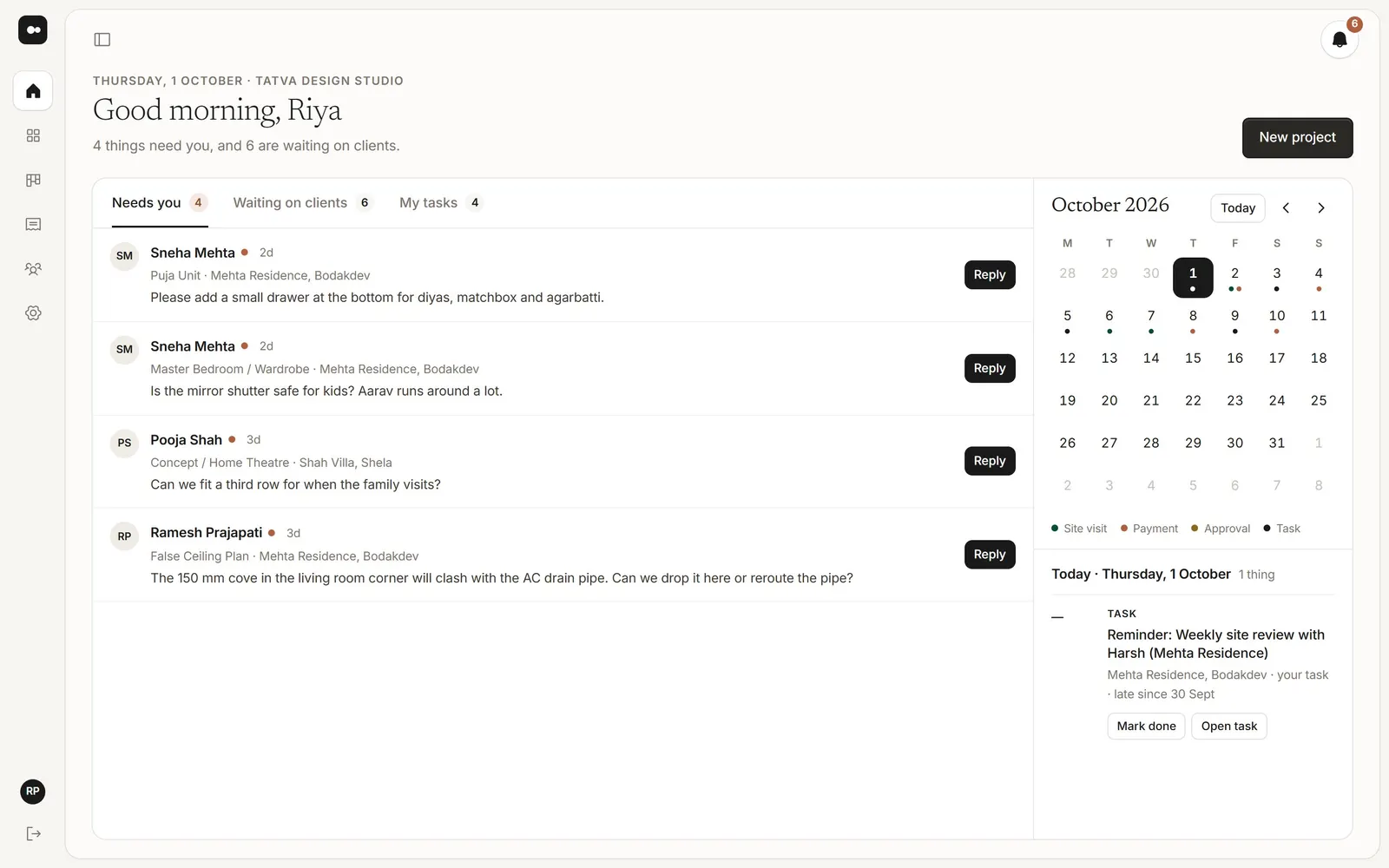
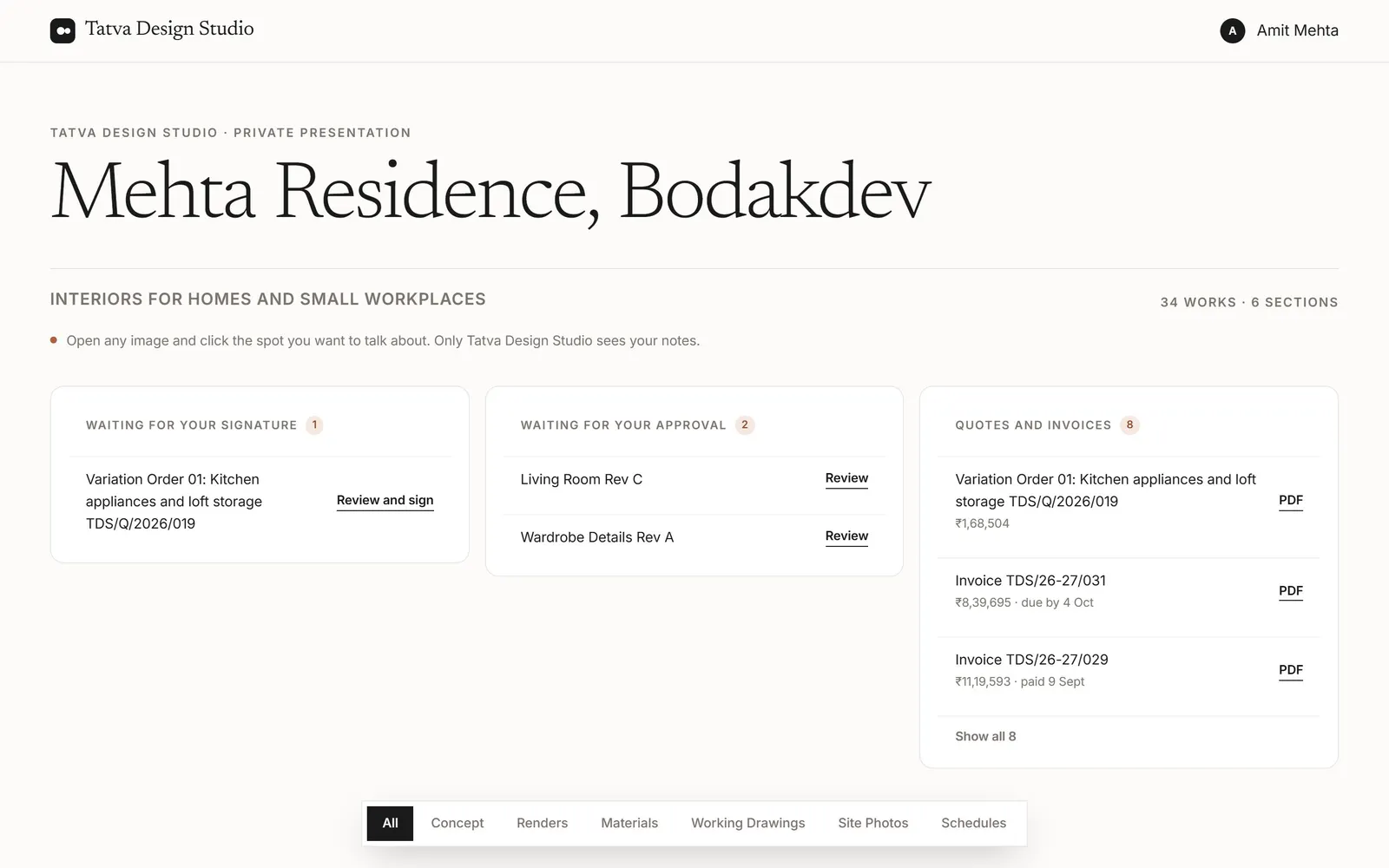
One screen with the notes waiting for a reply, approvals and signatures across your projects, so nothing waits on you by accident.

  • Reply to a note without opening the project
  • See who’s waiting on what
  • Reminders you set, when they’re due
Home in Plott
Quotes and invoices

GST quotes and invoices

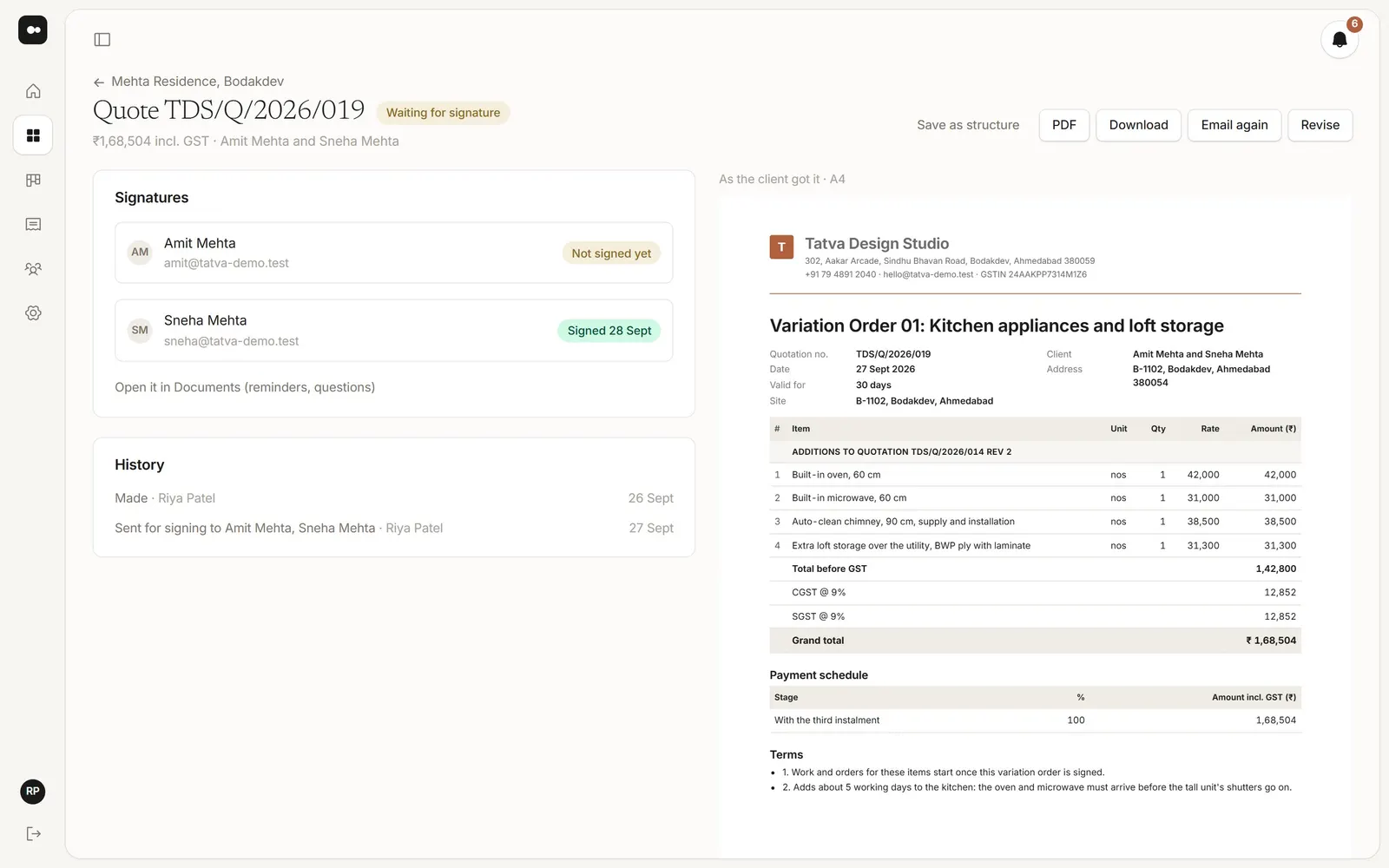
CGST and SGST, or IGST for another state, worked out from your GSTIN and your client’s address, on your letterhead with your bank details.

  • A payment schedule, invoiced stage by stage
  • Quotes your client signs on their link
  • Overdue invoices come to you
A quote with GST in Plott
Payments

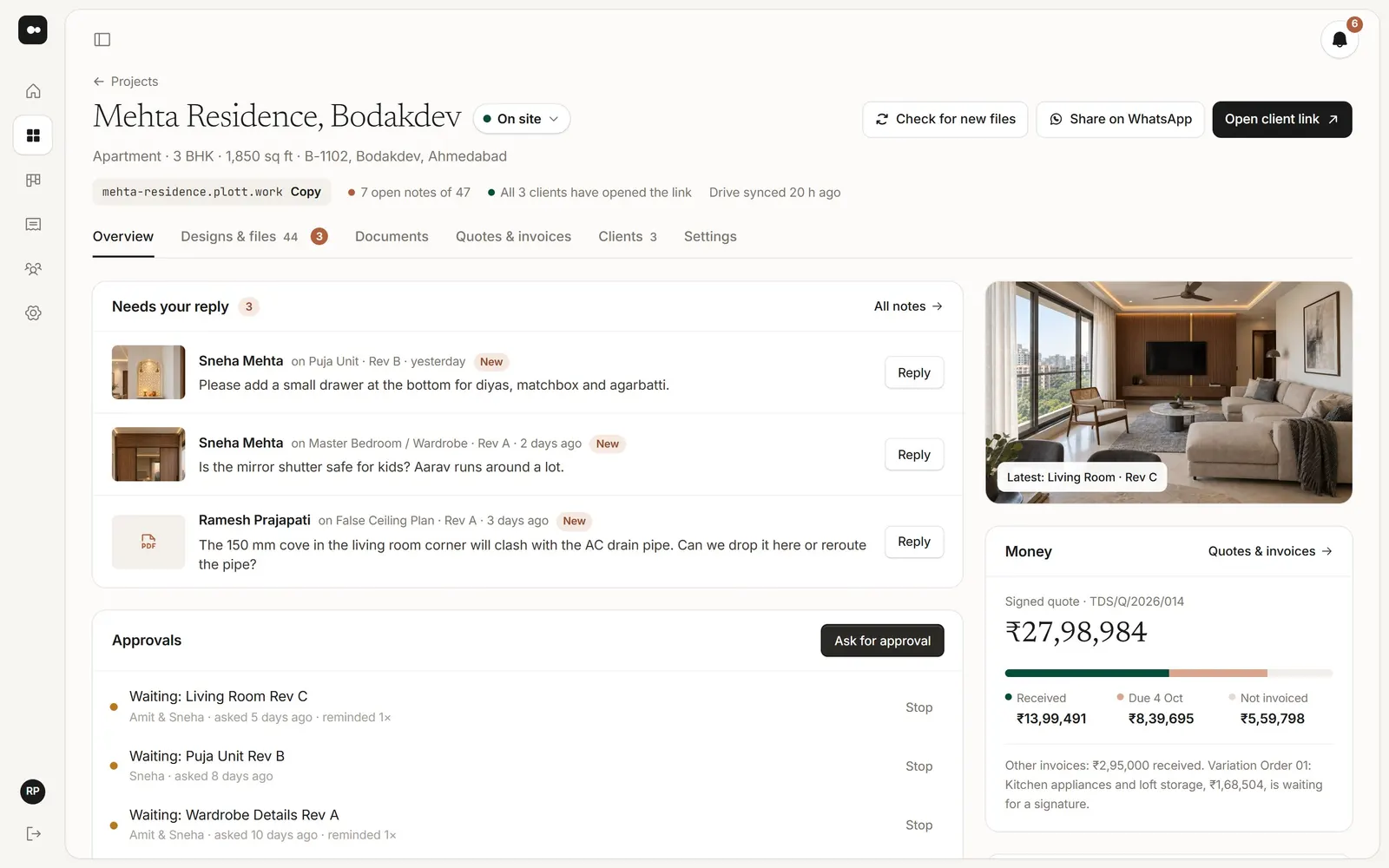
Every project’s money at a glance

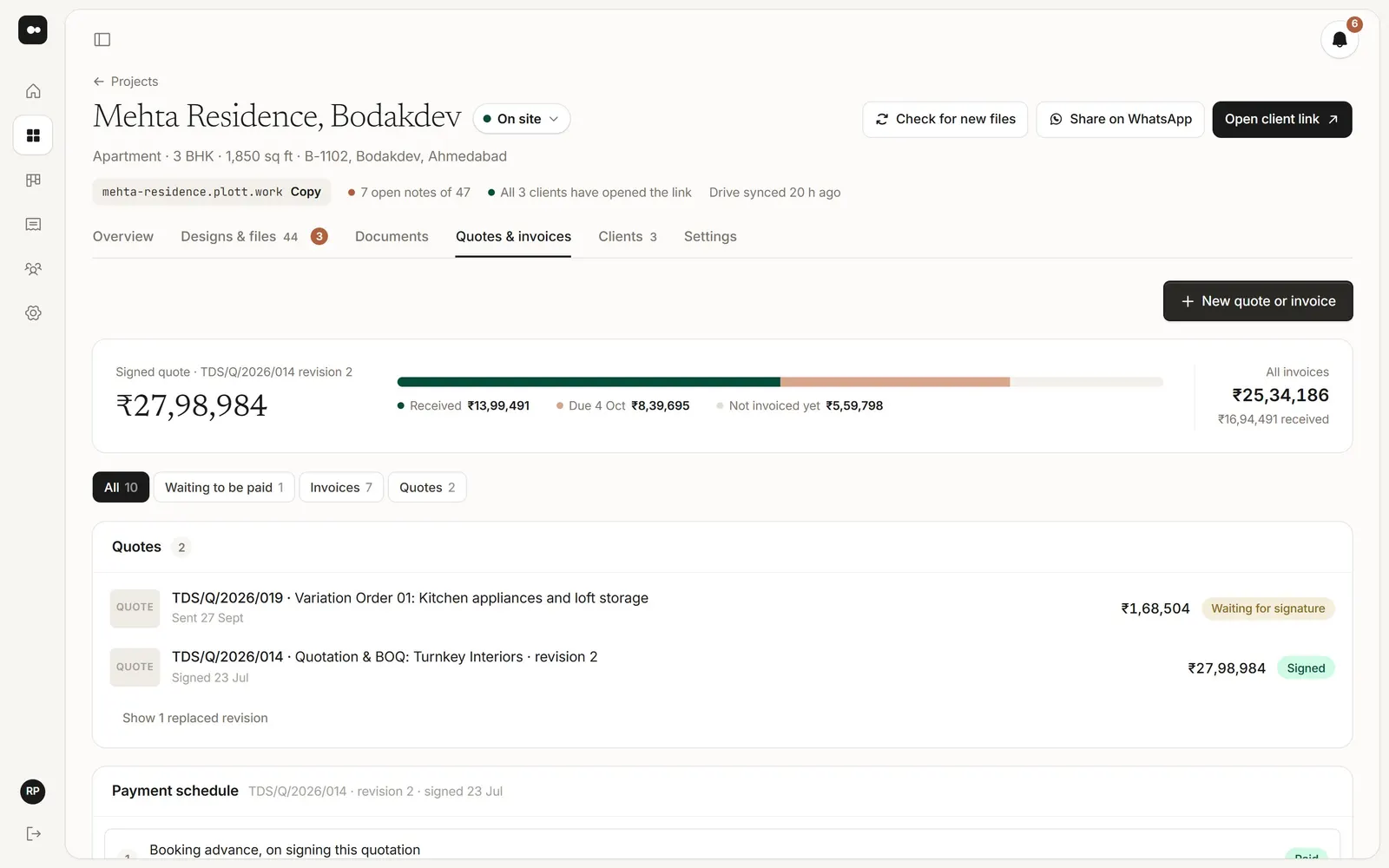
The signed quote, what’s received, what’s due and what isn’t invoiced yet, on every project. Record payments as they come in.

  • Payment schedule from the signed quote
  • Record payments, cash included
  • Plott never takes or holds your clients’ money
A project's quotes and invoices with amounts received and due
Feedback

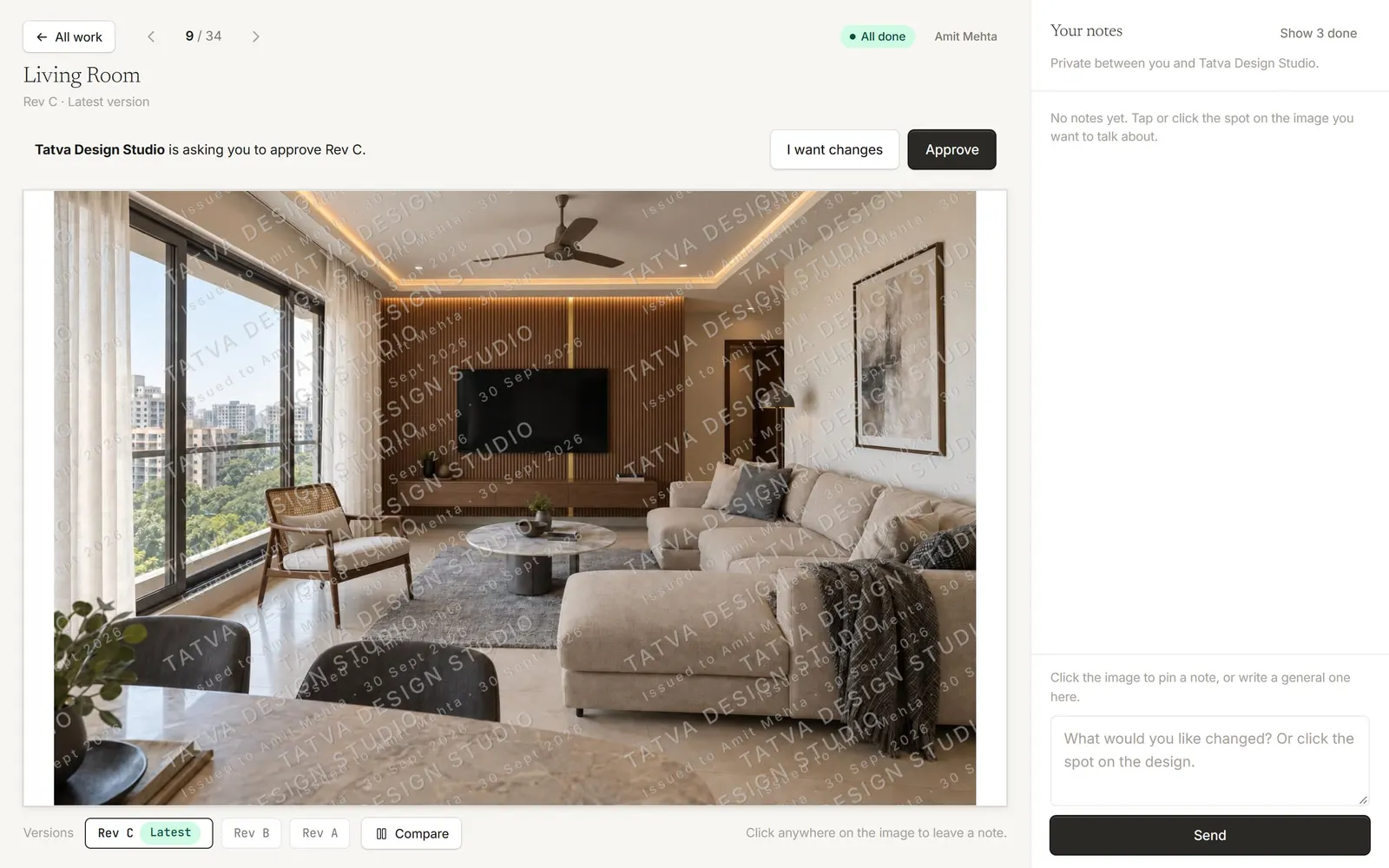
Notes pinned to the exact spot

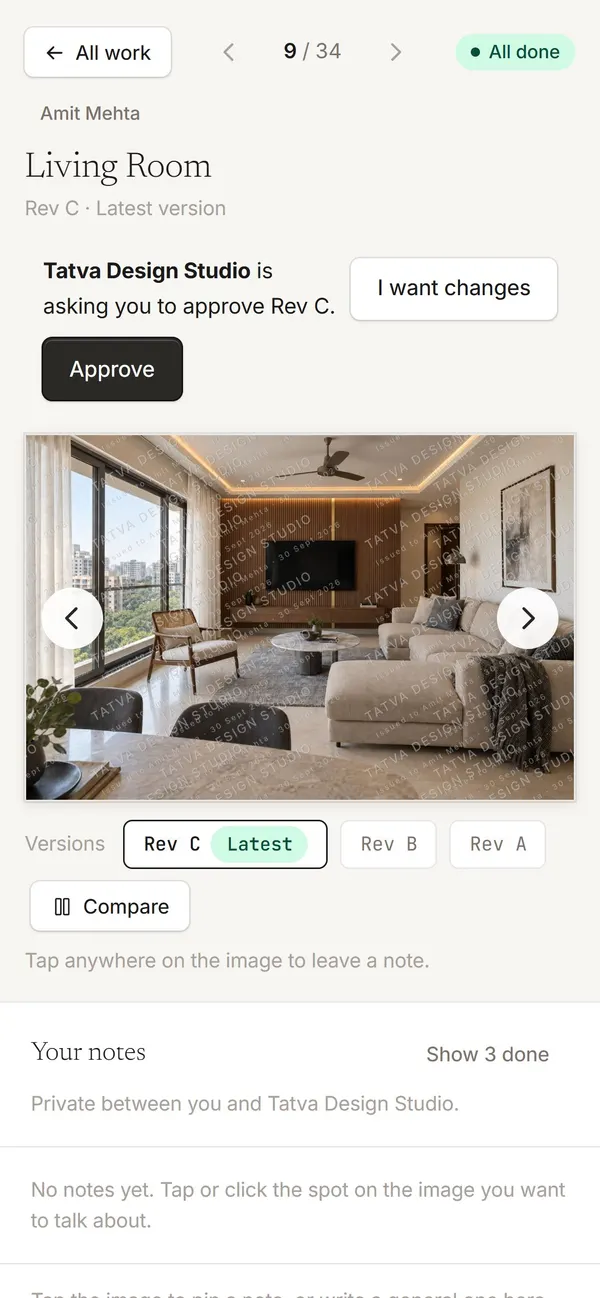
Clients tap the place they mean on a render or a drawing page and write what they want changed. Every note lands in one list for your studio.

  • Works on PDF pages too
  • Team notes only your studio sees
  • Reply, resolve, or turn a note into a task
A client pinning a note on their phone
Versions

Every revision, in order

Name your files rev-A, rev-B and Plott stacks them as versions of one design. Clients always open the newest, and open notes move across with it.

  • Compare two versions side by side
  • The full history stays on the design
  • No one reviews an old file by mistake
A project in Plott with its designs and versions
Approvals

Approval on an exact version

Ask for approval and your client approves Rev C, not whatever they saw last. If the file changes in Drive afterwards, Plott tells you.

  • Who approved, and when
  • Reminders if they haven’t answered
  • Every approval listed on the project
A client approving Rev C
Documents

Agreements signed on the phone

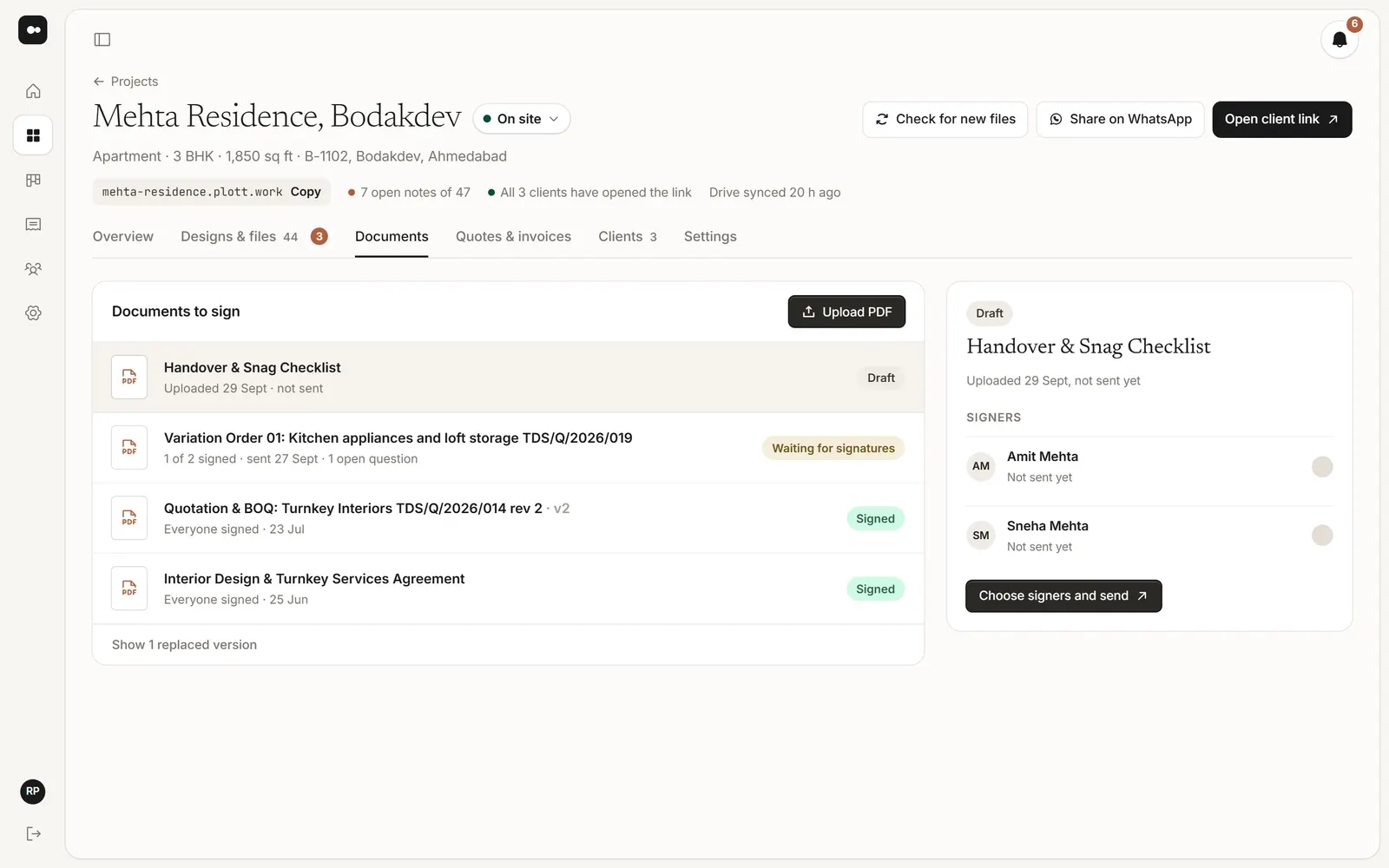
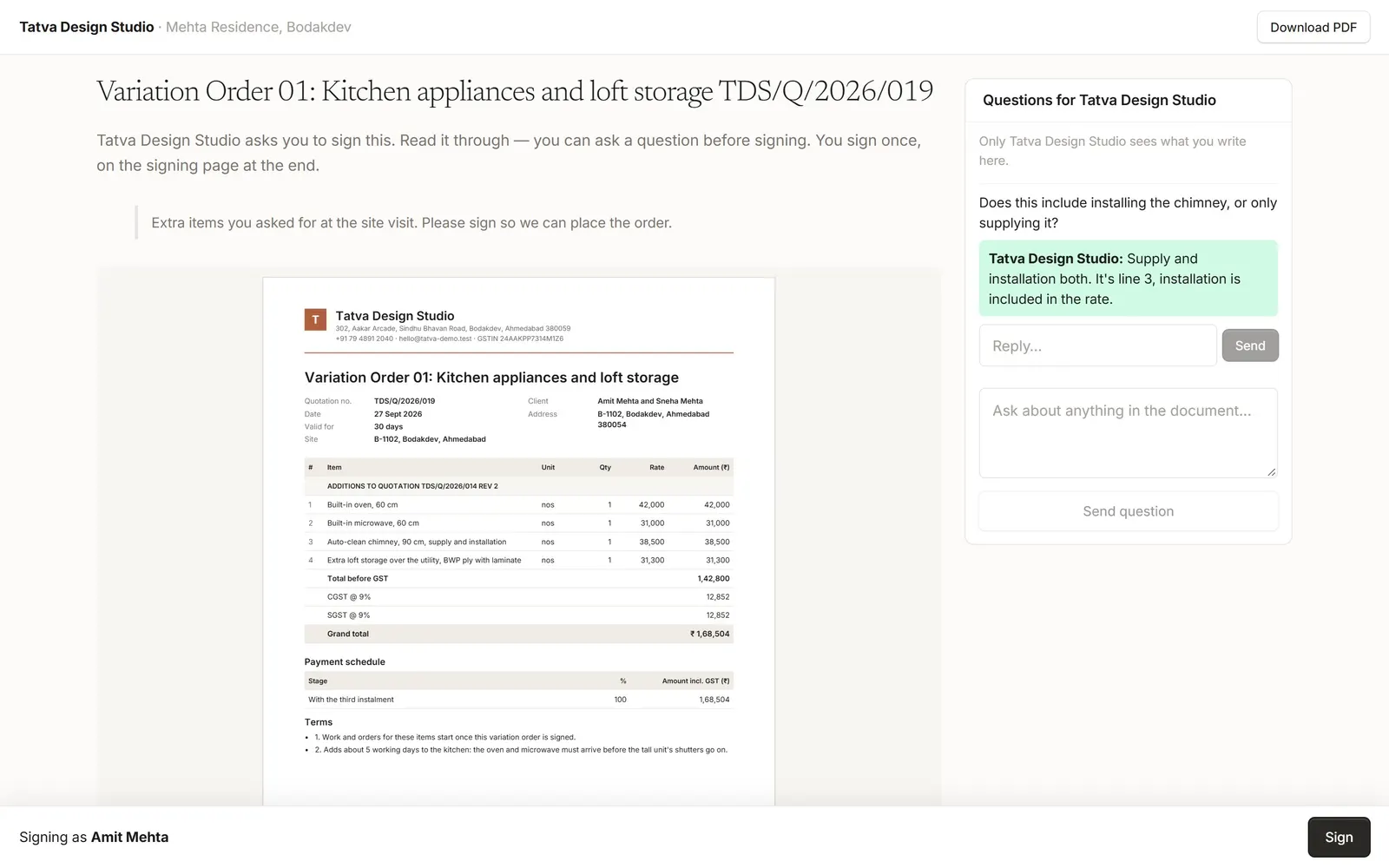
Upload a PDF, choose who signs and where. Each person signs from their own link, and can ask a question before they do.

  • Signature boxes, or a signing page at the end
  • The signed copy keeps a signing record
  • Reminders for whoever hasn’t signed
Documents waiting for signatures
Quotes

Quotes your client signs

Send a quote to the client link. They read it on their phone and sign it there, and you see the moment they do.

  • Signed quotes stay with the project
  • Payment schedule and bank details on it
  • No printing and scanning
A client signing a variation order
Also in every project

The small things.

Watermarked previews

Your studio name is part of the picture. Switch it off once they’ve paid.

Five gallery layouts

Masonry, rows, grid, large or wide, for each project.

Only who you choose

Just the clients you add, or anyone with the link and a project code.

Drawing sets, page by page

PDFs open in the browser, with sheet numbers read from the file name.

Live notifications

A new note, comment or signature shows up while you have Plott open.

Roles for your team

Owner, Designer and Accounts, each seeing what they need.

Clients kept for next time

Everyone you add stays in Contacts with their projects.

Emails you control

Choose what you and your clients hear about, per project.

See it on one of your own projects.

Try it free for 30 days, or let us walk you through it.