Add a vendor
A vendor is anyone you buy from or give work to: a carpenter, a plumber, a plywood shop. Vendors, POs and costs are only for the owner and Accounts, or any role that can make quotes and invoices.
1Add them
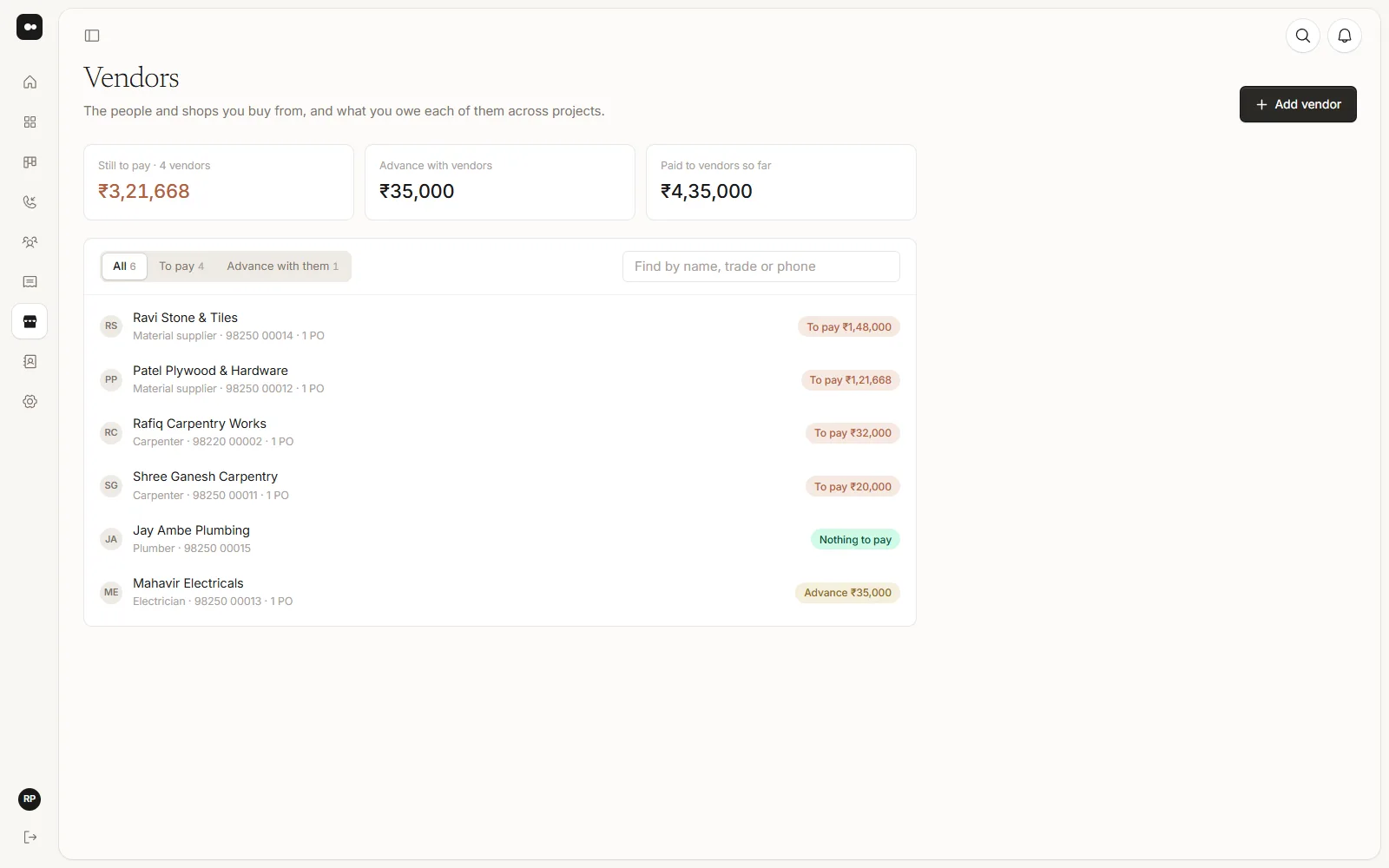
Go to Vendors and choose Add vendor. Fill in their Name, What they do and Phone. Their address, GSTIN, email and Pay to (a UPI id or bank details) can be added now or later.
2See what you owe
Each vendor shows To pay, Advance or Nothing to pay. Above the list are the totals: still to pay, advance with vendors, and paid so far. To pay and Advance with them narrow the list, and the search finds a vendor by name, trade or phone.
3Open a vendor
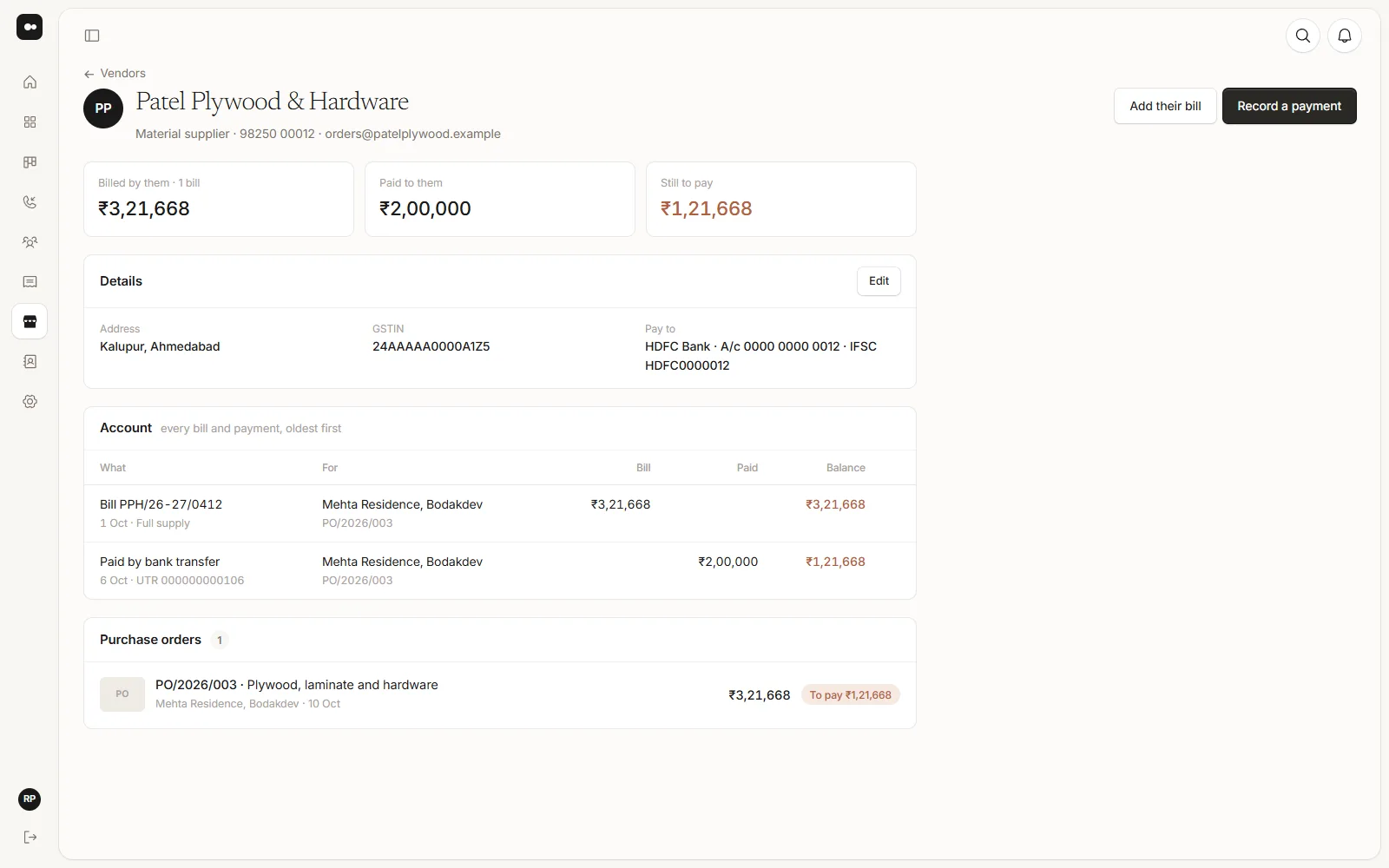
A vendor’s page has their details, their Account (every bill and payment, oldest first, with the balance after each) and their purchase orders across your projects.