Ask for approval on a version
An approval in Plott is on one version of a design, so there’s never a question about which one was agreed.
1Ask
Open the design and choose Ask for approval. Under Who approves, pick the people on the project who can approve. Any one of them approving marks the design approved, with their name, the version and the time.
They get an email with a link to approve. Choose Also on WhatsApp to send them a message as well.
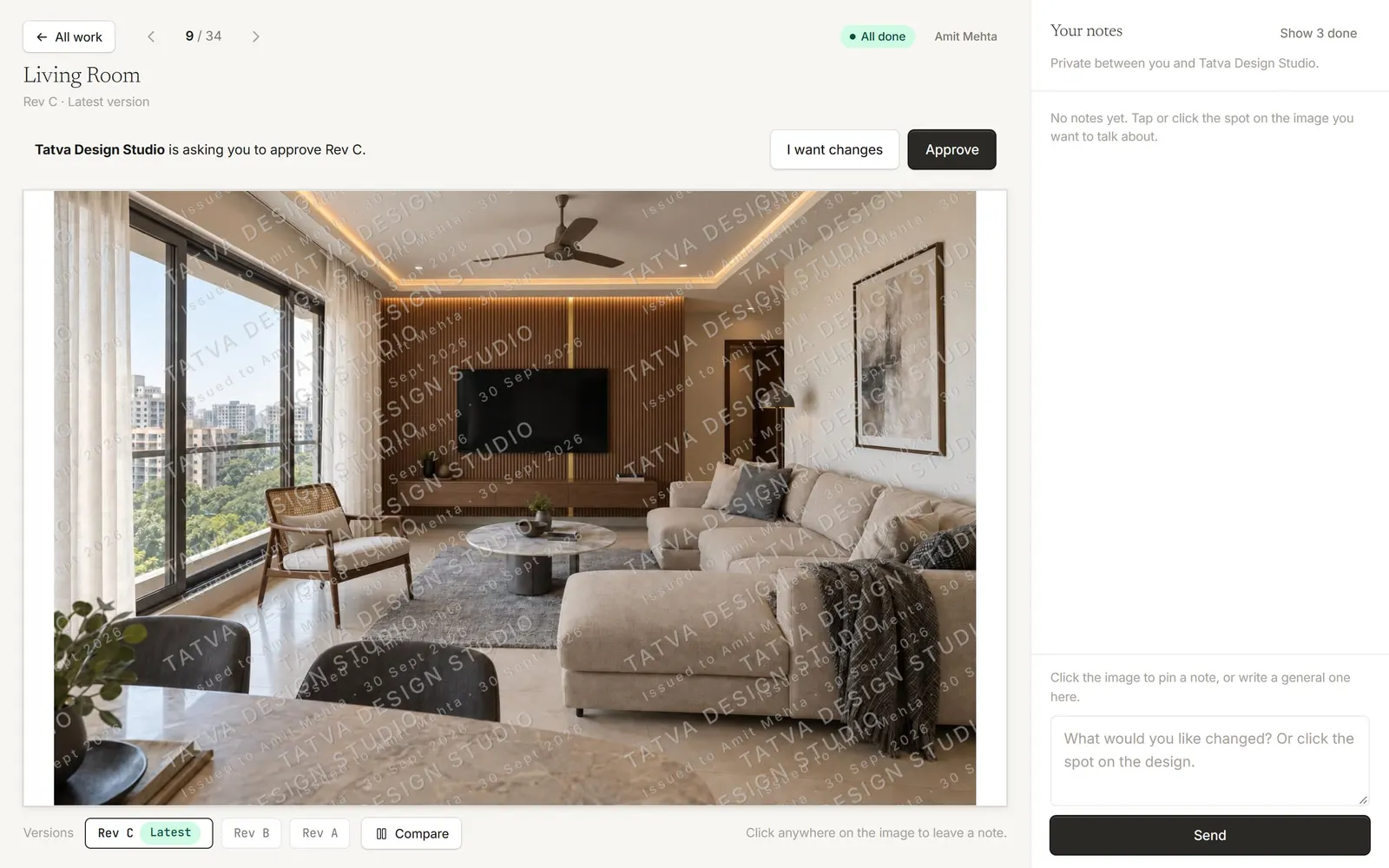
2What your client does
They see the design with an Approve button, or can choose I want changes and leave a note.
3Reminders
If nobody approves, Plott reminds them after 2 days and again after 5.
4If the file changes afterwards
If the approved file changes in Drive, or a newer version arrives, Plott marks the approval so you know it may need asking again.
Tip: Who can approve is set per person in the Clients tab. Studios that don’t use approvals can switch them off in Settings → Studio.
Was this article helpful?