What your client sees
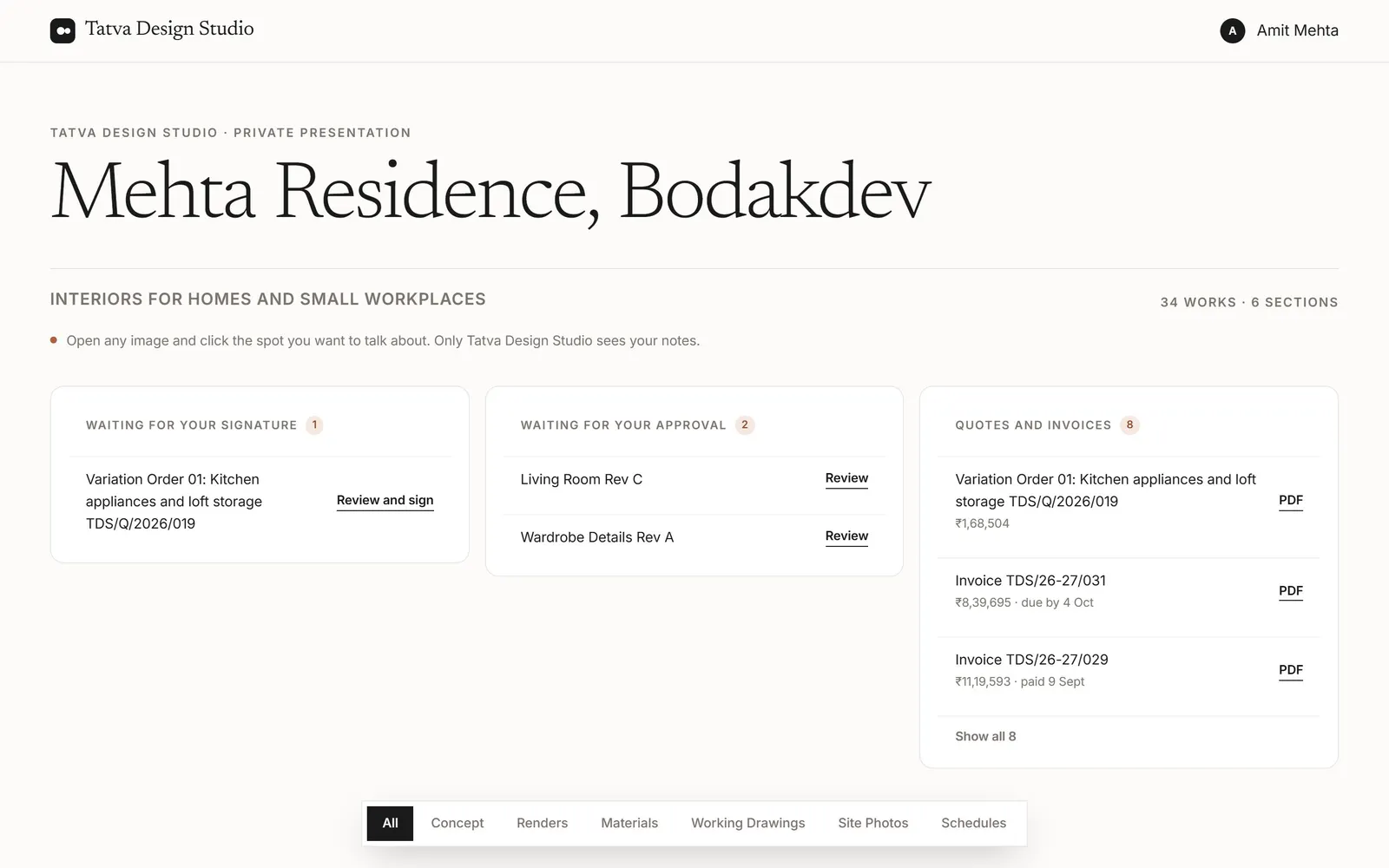
When your client opens their link, they see one page for their project, with your studio’s name at the top. No app, no account.
1What’s on the page
- Waiting for your signature and Waiting for your approval: anything you’ve asked them to do.
- Quotes and invoices: each one as a PDF, with what’s due and when.
- The designs, newest version first, in the sections of your Drive folder.
- Your description, contact details and social links at the foot, if you add them in the project’s Settings.
2Leaving notes
They open a design and tap the spot they mean, then type what they’d like changed. The note lands on that spot, and you see it straight away.
By default, everyone on a project sees its notes and your replies, with each person’s name. To keep each client’s notes private to them, switch off Clients see each other’s notes in Settings → Studio. Team notes are never shown to clients.
Tip: While the watermark is on, clients see screen-size previews with your studio name on them.
Was this article helpful?