See what a project costs
A project’s Money tab has two halves: From the client, for quotes and invoices, and POs & costs, for what goes out. Only the owner and Accounts see the second half.
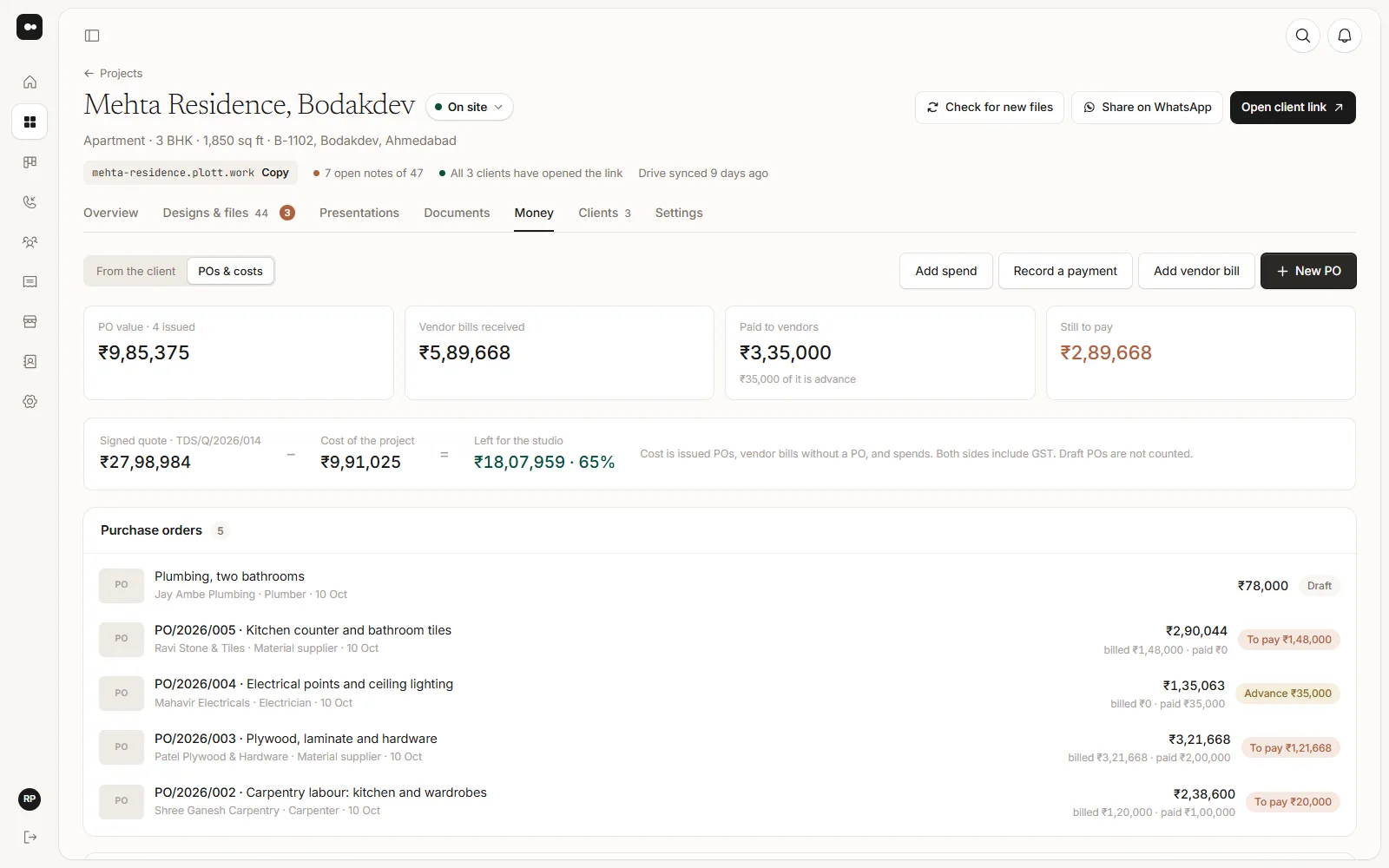
1The four numbers
- PO value: the total of the POs you have issued.
- Vendor bills received: what vendors have billed so far.
- Paid to vendors: every payment, advances included.
- Still to pay: what is billed and not paid yet.
2Against the quote
When the project has a signed quote, Plott sets the cost of the project against it and shows what is Left for the studio, or Over the quote by if the costs have passed it. Cost is issued POs, vendor bills without a PO, and spends. Both sides include GST, and draft POs are not counted.
3Small spends
For small things with no vendor bill, like a tempo, cash labour or something bought at site, choose Add spend. Say what it was for, the amount, the date and the kind (Material, Labour, Transport or Other), and attach the receipt if there is one.
4By vendor
By vendor, on this project lists each vendor with their PO value, what they have billed, what you have paid and what is still to pay here.