Clients point at the exact spot. You fix the right thing.
Your client taps the place they mean on a render or a drawing, and writes what they want changed. You get the note on that spot, in one list, with the version it was made on.

Tap a pin or a note.
“Change this” never says which this.
A screenshot with a red circle, a voice note, a long message about “the wall near the window”. Every round of guessing costs a day, and a wrong guess costs a revision.
Every note has a place, a person and a version.
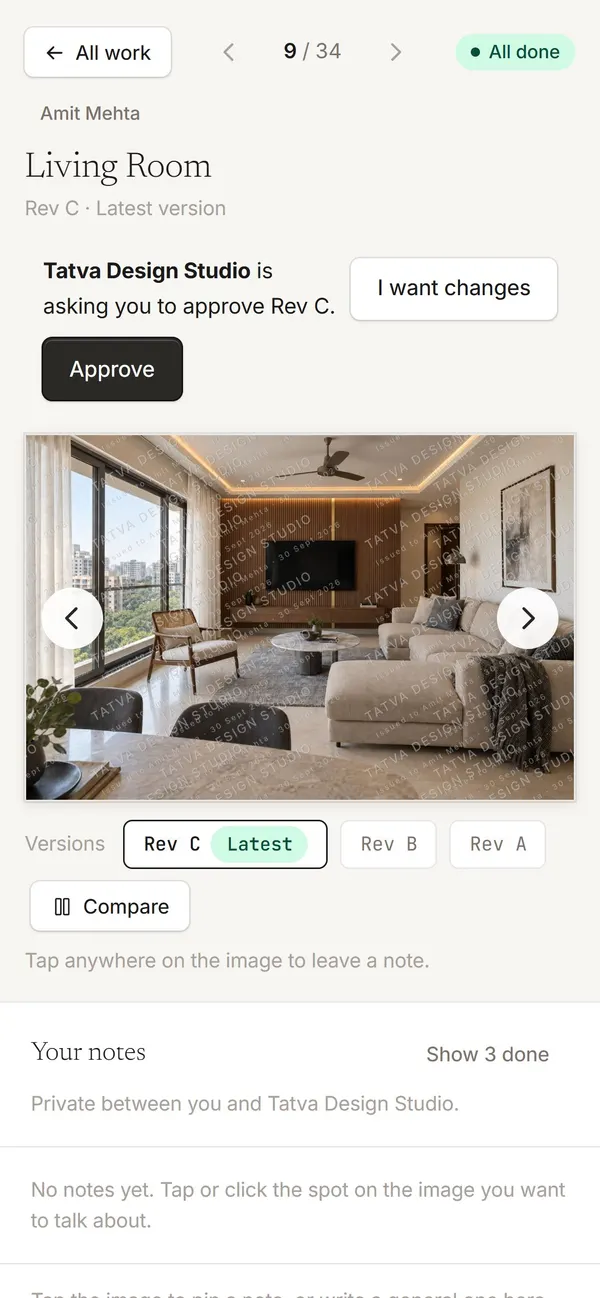
Renders, mood boards and drawing sets. A multi-page PDF takes notes page by page.
Clients on a project see each other’s notes and your replies, or each keeps their own. Team notes never reach clients.
 11
11Upload Rev C and open notes move across, so nothing is lost between rounds.
From a tap to a fix.
1On their phone or laptop, from the link you sent. No app and no account.
Answer from Home without opening the project, or hand it to someone on the team.
Mark it done when the new version is up. The history stays on the design.
About feedback and pins
Does my client need an account to leave a note?
No. The link you send signs them in. They tap the spot, type the note and send it.
Can clients see each other’s notes?
By default, yes: everyone on a project sees its notes and replies, with each person’s name. Switch it off in Settings and each person’s notes stay private to them and your studio. Your team’s own notes never reach clients.
Can my team leave notes only the team sees?
Yes. Pin a note and choose Team only. Clients never see it, and it can become a task like any other note.
Does it work on PDF drawings?
Yes. A multi-page PDF opens page by page in the browser, and notes are pinned to the page they were made on.
What happens to open notes when I upload a new version?
Open notes move across to the new version, so nothing gets lost between rounds.
Related features
Stop guessing which wall.
Send your next render as a Plott link and let your client point.